Email deliverability
Why the email your website sends never arrives
Your contact form says "sent". Nobody receives anything. Here is what is actually happening on GoDaddy shared hosting, and the three separate faults that hide behind each other.
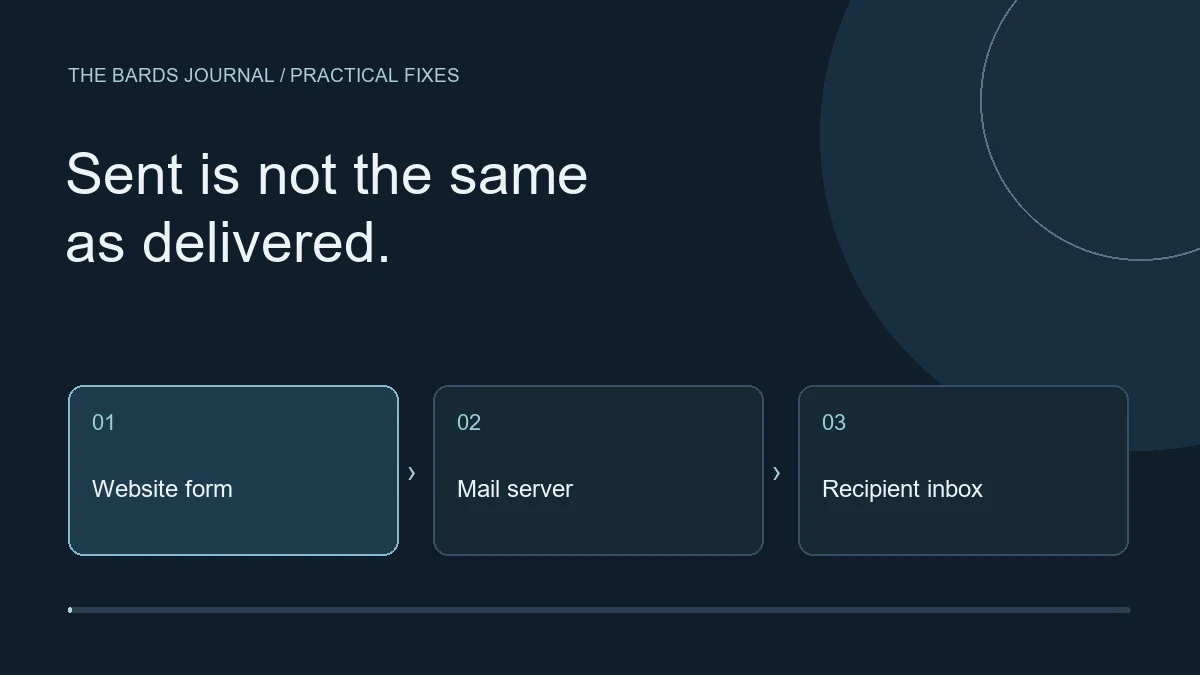
A client tells you they never got the invoice. You check, and your system says it was sent. No bounce, no error, no warning. You send it again. Same result.
We spent a week on exactly this, on our own site. The cause turned out to be three separate faults stacked on top of each other, each one hiding the next. Here is all three, in the order you will meet them.
Fault one: PHP's mail() lies to you by default
Almost every contact form and invoice system on shared hosting eventually calls PHP's mail() function. It returns true or false. An enormous amount of code never looks.
mail($to, $subject, $body, $headers);
echo "Sent!";
That code prints "Sent!" whether or not anything happened. Worse, even when mail() returns true, all it means is that the local mail agent accepted the message. Not that it was delivered. Not that it left the building.
The fix is to look at the answer, record it, and show it:
$ok = @mail($to, $subject, $body, $headers);
if (!$ok) {
    $last = error_get_last();
    $err  = $last['message'] ?? 'The mail server refused the message.';
}
Do that and you at least know when the handover failed. But you can hand a message over successfully and still have nobody receive it, which brings us to the real problem.
Fault two: your domain tells the world to bin it
Check what your domain publishes. Two records matter.
nslookup -type=TXT yourdomain.co.uk 8.8.8.8
nslookup -type=TXT _dmarc.yourdomain.co.uk 8.8.8.8
Ours came back:
v=spf1 include:secureserver.net -all
v=DMARC1; p=quarantine; adkim=r; aspf=r;
Read that carefully, because it is the whole story.
SPF is a list of servers allowed to send mail for your domain. The -all on the end means "reject anything from anywhere else". DMARC p=quarantine tells every receiving mail server what to do with a message that fails the check: file it as junk, or drop it.
Your web server is not on that list. Your mailbox provider is. So when your website hands a message to the web server's own sendmail, it leaves from an address your domain has publicly declared is not allowed to send for it.
The recipient's mail server does exactly what you told it to and quarantines the message. Nothing bounces, because quarantine is not rejection. The sender sees success. The recipient sees nothing.
That failure is completely invisible from the sending side. It is why this can go on for months.
Fault three: the obvious fix is blocked
The correct answer is to stop using the web server and send through your actual mailbox instead, over SMTP, the same route Outlook uses. Your domain already authorises that.
So we wired it up: smtp.office365.com, port 587, STARTTLS, an app password. And got:
Could not reach smtp.office365.com on port 587: Connection timed outNot a password problem. The connection never left the building.
Shared hosts block outbound SMTP. They do it so that one compromised site cannot be turned into a spam relay, which is a reasonable thing to want. We wrote a small probe that opens a connection to each mail service in turn and reports which are permitted:
Microsoft 365       587    blocked   timed out
Microsoft 365 SSL   465    blocked   timed out
GoDaddy relay        25    blocked   timed out
Brevo SMTP          587    blocked   timed out
Brevo SMTP alt     2525    blocked   timed out
Any HTTPS API       443    open      connected
One of seven. Every mail port shut, to every destination.
This is the point worth internalising: no SMTP setting can work on a host like this. Not an app password, not a different port, not the host's own relay. People lose days to this because every error looks like a credentials problem and every guide tells you to check your credentials.
What actually works
Port 443 is open, because the web server needs it to serve your website at all.
So send the mail the same way a browser talks to any website: an HTTPS request to an email service's API. The service then sends the message from their own infrastructure — which is authorised, DKIM-signed, and has a delivery reputation. All three of which your web server lacks.
That also fixes fault two properly, rather than working around it.
There are several services with a free tier that covers small-business volumes. Whichever you pick, the important step is the one people skip.
Do not stop at verifying the address
Every service will let you verify a single sender address, and that is enough to get mail moving. It is not enough to make it land.
With address-only verification, the service signs the message as themselves, not as your domain. So neither SPF nor DKIM matches the address in your From line, and you are still failing DMARC alignment. It arrives on the receiving server's goodwill. Gmail is often generous. Outlook and corporate filters are not.
Verify the whole domain. The service gives you DKIM records to add to your DNS. Two things to watch:
Your DNS provider adds the domain for you. If the service shows you brevo1._domainkey.yourdomain.co.uk, the Name field at your registrar wants only brevo1._domainkey. Paste the whole hostname and you create brevo1._domainkey.yourdomain.co.uk.yourdomain.co.uk, which resolves to nothing.
Do not add a second DMARC record. If you already have one, skip the DMARC row the service offers. A domain with two DMARC records is treated as having none, which quietly undoes the protection you already had.
Check it landed before you trust it:
nslookup -type=CNAME brevo1._domainkey.yourdomain.co.uk 8.8.8.8Turn off click tracking
One last thing, and it bit us in front of a client.
Email services rewrite the links in your messages so they can count clicks. If you have set up branded tracking links, they are rewritten through a subdomain of your domain that points at their server.
If their certificate for that subdomain is wrong or expired, your client clicks a link in your invoice and gets a full-page browser security warning with your domain name on it. We watched it happen:
r.<redacted>.ourdomain.co.uk
  serves certificate:  CN=r.mailin.fr        (wrong name)
  Verification error:  certificate has expired
An invoice does not need click tracking. Turn it off. You lose a statistic nobody reads and you remove an entire category of failure that makes you look incompetent to the person paying you.
The short version
mail()returning true means nothing was delivered. Record what it actually said.- Read your own SPF and DMARC before blaming the code.
- If port 587 times out, it is a firewall, not a password. Stop trying credentials.
- On blocked hosting, send over HTTPS through an email service.
- Verify the domain, not just the address, or you are still failing DMARC.
- Turn off click tracking on transactional mail.
None of this is exotic. It is just that each fault produces an error message that points at the previous one, so you fix the wrong thing five times before you find the right thing once.